Microskype ? Makes me wonder! http://snapvoip.blogspot.com/
The deal was good for US stock market as it drew encouragement from Microsoft's $8.5 billion deal for Skype Technologies and from signs of strength in the U.S. economy and overseas.
But on the whole I wonder what Microsoft will do to Skype, 8.5 Billion or not because first thing I heard about the deal was that M$ was going to integrate Skype capabilities with XBox. Time will tell.
10.5.11
DDoS Attacks on the Rise
VeriSign (NASDAQ:VRSN) has a unique role and position in the administration of the Internet. VeriSign runs some of the root DNS servers as well as operating the .com Top Level Domain providing visibility that others don't have.
Looking beyond their own infrastructure, VeriSign did a study of 225 IT decision makers to get their insight into Distributed Denial of Service (DDoS) attacks. Though VeriSign has its own insight into attacks, Ben Preto, SVP of the Networking Intelligence and Availability group at VeriSign told InternetNews.com that he was shocked by some of the results.
DDoS attacks have gone mainstream with 63 percent of survey respondents getting hit at least once and 11 percent getting attacked more than six times. Going a step further,VeriSign asked about downtime incidents. Just over half of VeriSign's survey respondents had some kind of downtime, though only 33 percent was attributable to DDoS attacks. Downtime incidents had a direct result on the bottom line too with 51 percent noting they lost money as a result of the downtime. Preto noted that the the DDoS attacks were widespread across multiple market verticals. The average cost to defend against attacks across VeriSign's respondents came in at $2.5 million.
In terms of DNS specifically, which can often be the target of DDoS, Preto said that there are a lot of older unpatched DNS servers in use today. According to Preto, the number of unpatched open source BIND DNS servers is in the 70th percentile.
VeriSign manages the root zone DNS servers for the Internet with their own technology called Atlas. For managed services, Preto noted that VeriSign's service leverages Atlas, but it's not the same system that powers the Internet's DNS. He explained that the needs and structure for managing the global Internet are different than the needs of hosted DNS customers.
"We're in the same cage, but on different ip's and network infrastructure, Preto said.
Sean Michael Kerner is a senior editor at InternetNews.com, the news service of Internet.com, the network for technology professionals.
Looking beyond their own infrastructure, VeriSign did a study of 225 IT decision makers to get their insight into Distributed Denial of Service (DDoS) attacks. Though VeriSign has its own insight into attacks, Ben Preto, SVP of the Networking Intelligence and Availability group at VeriSign told InternetNews.com that he was shocked by some of the results.
DDoS attacks have gone mainstream with 63 percent of survey respondents getting hit at least once and 11 percent getting attacked more than six times. Going a step further,VeriSign asked about downtime incidents. Just over half of VeriSign's survey respondents had some kind of downtime, though only 33 percent was attributable to DDoS attacks. Downtime incidents had a direct result on the bottom line too with 51 percent noting they lost money as a result of the downtime. Preto noted that the the DDoS attacks were widespread across multiple market verticals. The average cost to defend against attacks across VeriSign's respondents came in at $2.5 million.
"That's a huge hit to an IT budget on something that is arguably just getting worse and just getting more expensive," Preto said.
There are a number of DDoS mitigation techniques and technologies in the market today. VeriSign offers a managed service which also includes DDoS and DNS services. Less than half (40 percent) of VeriSign's survey however indicated that they would outsource DDoS protection, which isn't particularly good news for VeriSign's business.
Petro noted that the scale of DDoS attacks has grown to the point where few organizations can defend themselves on their own. Petro said that back in 2001 the top end of DDoS attacks was a sustained 5 Mb attack. He added that VeriSign saw an 84 Gbps attack last quarter.
"Who can withstand that," Preto said. "Companies used to be able to protect against DDoS on their own but with the size of attacks now, there are few companies that have enough bandwidth." There are a number of DDoS mitigation techniques and technologies in the market today. VeriSign offers a managed service which also includes DDoS and DNS services. Less than half (40 percent) of VeriSign's survey however indicated that they would outsource DDoS protection, which isn't particularly good news for VeriSign's business.
Petro noted that the scale of DDoS attacks has grown to the point where few organizations can defend themselves on their own. Petro said that back in 2001 the top end of DDoS attacks was a sustained 5 Mb attack. He added that VeriSign saw an 84 Gbps attack last quarter.
In terms of DNS specifically, which can often be the target of DDoS, Preto said that there are a lot of older unpatched DNS servers in use today. According to Preto, the number of unpatched open source BIND DNS servers is in the 70th percentile.
VeriSign manages the root zone DNS servers for the Internet with their own technology called Atlas. For managed services, Preto noted that VeriSign's service leverages Atlas, but it's not the same system that powers the Internet's DNS. He explained that the needs and structure for managing the global Internet are different than the needs of hosted DNS customers.
"We're in the same cage, but on different ip's and network infrastructure, Preto said.
Sean Michael Kerner is a senior editor at InternetNews.com, the news service of Internet.com, the network for technology professionals.
7.4.11
10 Reasons Why Your Computer Crashes

Your system crashes. Some of you don’t know how the computer crashed, or why it crashed? We are posting the top 10 reason for a computer to crash, covering hardware and software issue. Computer crashes can be very damaging – no matter what you use your computer for, chances are that a compute crashing can be very frustrating. You might lose important documents and photos, and even losing the use of your computer for awhile while it gets fixed might cause difficulties for you. Everyone knows the headaches that are associated with computer crashing – but not everyone knows that there are things you can do for your computer to prevent it from crashing in the first place.
1 Hardware conflict
The number one reason why Windows crashes is hardware conflict. Each hardware device communicates to other devices through an interrupt request channel (IRQ). These are supposed to be unique for each device.
For example, a printer usually connects internally on IRQ 7. The keyboard usually uses IRQ 1 and the floppy disk drive IRQ 6. Each device will try to hog a single IRQ for itself.
If there are a lot of devices, or if they are not installed properly, two of them may end up sharing the same IRQ number. When the user tries to use both devices at the same time, a crash can happen. The way to check if your computer has a hardware conflict is through the following route:
* Start > Settings > Control Panel > System > Device Manager.
Often if a device has a problem a yellow ‘!’ appears next to its description in the Device Manager. Highlight Computer (in the Device Manager) and press Properties to see the IRQ numbers used by your computer. If the IRQ number appears twice, two devices may be using it.
Sometimes a device might share an IRQ with something described as ‘IRQ holder for PCI steering’. This can be ignored. The best way to fix this problem is to remove the problem device and reinstall it.
Sometimes you may have to find more recent drivers on the internet to make the device function properly. A good resource is www.driverguide.com. If the device is a sound card, or a modem, it can often be fixed by moving it to a different slot on the motherboard (be careful about opening your computer, as you may void the warranty).
When working inside a computer you should switch it off, unplug the mains lead and touch an unpainted metal surface to discharge any static electricity.
To be fair to Mcft, the problem with IRQ numbers is not of its making. It is a legacy problem going back to the first PC designs using the IBM 8086 chip. Initially there were only eight IRQs. Today there are 16 IRQs in a PC. It is easy to run out of them. There are plans to increase the number of IRQs in future designs.
2 Bad Ram
Ram (random-access memory) problems might bring on the blue screen of death with a message saying Fatal Exception Error. A fatal error indicates a serious hardware problem. Sometimes it may mean a part is damaged and will need replacing.
But a fatal error caused by Ram might be caused by a mismatch of chips. For example, mixing 70-nanosecond (70ns) Ram with 60ns Ram will usually force the computer to run all the Ram at the slower speed. This will often crash the machine if the Ram is overworked.
One way around this problem is to enter the BIOS settings and increase the wait state of the Ram. This can make it more stable. Another way to troubleshoot a suspected Ram problem is to rearrange the Ram chips on the motherboard, or take some of them out. Then try to repeat the circumstances that caused the crash. When handling Ram try not to touch the gold connections, as they can be easily damaged.
Parity error messages also refer to Ram. Modern Ram chips are either parity (ECC) or non parity (non-ECC). It is best not to mix the two types, as this can be a cause of trouble.
EMM386 error messages refer to memory problems but may not be connected to bad Ram. This may be due to free memory problems often linked to old Dos-based programmes.
3 BIOS settings
Every motherboard is supplied with a range of chipset settings that are decided in the factory. A common way to access these settings is to press the F2 or delete button during the first few seconds of a boot-up.
Once inside the BIOS, great care should be taken. It is a good idea to write down on a piece of paper all the settings that appear on the screen. That way, if you change something and the computer becomes more unstable, you will know what settings to revert to.
A common BIOS error concerns the CAS latency. This refers to the Ram. Older EDO (extended data out) Ram has a CAS latency of 3. Newer SDRam has a CAS latency of 2. Setting the wrong figure can cause the Ram to lock up and freeze the computer’s display.
Mcft Windows is better at allocating IRQ numbers than any BIOS. If possible set the IRQ numbers to Auto in the BIOS. This will allow Windows to allocate the IRQ numbers (make sure the BIOS setting for Plug and Play OS is switched to ‘yes’ to allow Windows to do this.).
4 Hard disk drives
After a few weeks, the information on a hard disk drive starts to become piecemeal or fragmented. It is a good idea to defragment the hard disk every week or so, to prevent the disk from causing a screen freeze. Go to
* Start > Programs > Accessories > System Tools > Disk Defragmenter
This will start the procedure. You will be unable to write data to the hard drive (to save it) while the disk is defragmenting, so it is a good idea to schedule the procedure for a period of inactivity using the Task Scheduler.
The Task Scheduler should be one of the small icons on the bottom right of the Windows opening page (the desktop).
Some lockups and screen freezes caused by hard disk problems can be solved by reducing the read-ahead optimisation. This can be adjusted by going to
* Start > Settings > Control Panel > System Icon > Performance > File System > Hard Disk.
Hard disks will slow down and crash if they are too full. Do some housekeeping on your hard drive every few months and free some space on it. Open the Windows folder on the C drive and find the Temporary Internet Files folder. Deleting the contents (not the folder) can free a lot of space.
Empty the Recycle Bin every week to free more space. Hard disk drives should be scanned every week for errors or bad sectors. Go to
* Start > Programs > Accessories > System Tools > ScanDisk
Otherwise assign the Task Scheduler to perform this operation at night when the computer is not in use.
5 Fatal OE exceptions and VXD errors
Fatal OE exception errors and VXD errors are often caused by video card problems.
These can often be resolved easily by reducing the resolution of the video display. Go to
* Start > Settings > Control Panel > Display > Settings
Here you should slide the screen area bar to the left. Take a look at the colour settings on the left of that window. For most desktops, high colour 16-bit depth is adequate.
If the screen freezes or you experience system lockups it might be due to the video card. Make sure it does not have a hardware conflict. Go to
* Start > Settings > Control Panel > System > Device Manager
Here, select the + beside Display Adapter. A line of text describing your video card should appear. Select it (make it blue) and press properties. Then select Resources and select each line in the window. Look for a message that says No Conflicts.
If you have video card hardware conflict, you will see it here. Be careful at this point and make a note of everything you do in case you make things worse.
The way to resolve a hardware conflict is to uncheck the Use Automatic Settings box and hit the Change Settings button. You are searching for a setting that will display a No Conflicts message.
Another useful way to resolve video problems is to go to
* Start > Settings > Control Panel > System > Performance > Graphics
Here you should move the Hardware Acceleration slider to the left. As ever, the most common cause of problems relating to graphics cards is old or faulty drivers (a driver is a small piece of software used by a computer to communicate with a device).
Look up your video card’s manufacturer on the internet and search for the most recent drivers for it.
6 Viruses
Often the first sign of a virus infection is instability. Some viruses erase the boot sector of a hard drive, making it impossible to start. This is why it is a good idea to create a Windows start-up disk. Go to
* Start > Settings > Control Panel > Add/Remove Programs
Here, look for the Start Up Disk tab. Virus protection requires constant vigilance.
A virus scanner requires a list of virus signatures in order to be able to identify viruses. These signatures are stored in a DAT file. DAT files should be updated weekly from the website of your antivirus software manufacturer.
An excellent antivirus programme is McAfee VirusScan by Network Associates ( www.nai.com). Another is Norton AntiVirus 2000, made by Symantec ( www.symantec.com).
7 Printers
The action of sending a document to print creates a bigger file, often called a postscript file.
Printers have only a small amount of memory, called a buffer. This can be easily overloaded. Printing a document also uses a considerable amount of CPU power. This will also slow down the computer’s performance.
If the printer is trying to print unusual characters, these might not be recognized, and can crash the computer. Sometimes printers will not recover from a crash because of confusion in the buffer. A good way to clear the buffer is to unplug the printer for ten seconds. Booting up from a powerless state, also called a cold boot, will restore the printer’s default settings and you may be able to carry on.
8 Software
A common cause of computer crash is faulty or badly-installed software. Often the problem can be cured by uninstalling the software and then reinstalling it. Use Norton Uninstall or Uninstall Shield to remove an application from your system properly. This will also remove references to the program in the System Registry and leaves the way clear for a completely fresh copy.
The System Registry can be corrupted by old references to obsolete software that you thought was uninstalled. Use Reg Cleaner by Jouni Vuorio to clean up the System Registry and remove obsolete entries. It works on Windows 95, Windows 98, Windows 98 SE (Second Edition), Windows Millennium Edition (ME), NT4 and Windows 2000.
Read the instructions and use it carefully so you don’t do permanent damage to the Registry. If the Registry is damaged you will have to reinstall your operating system. Reg Cleaner can be obtained from www.jv16.org
Often a Windows problem can be resolved by entering Safe Mode. This can be done during start-up. When you see the message “Starting Windows” press F4. This should take you into Safe Mode.
Safe Mode loads a minimum of drivers. It allows you to find and fix problems that prevent Windows from loading properly.
Sometimes installing Windows is difficult because of unsuitable BIOS settings. If you keep getting SUWIN error messages (Windows setup) during the Windows installation, then try entering the BIOS and disabling the CPU internal cache. Try to disable the Level 2 (L2) cache if that doesn’t work.
Remember to restore all the BIOS settings back to their former settings following installation.
9 Overheating
Central processing units (CPUs) are usually equipped with fans to keep them cool. If the fan fails or if the CPU gets old it may start to overheat and generate a particular kind of error called a kernel error. This is a common problem in chips that have been overclocked to operate at higher speeds than they are supposed to.
One remedy is to get a bigger better fan and install it on top of the CPU. Specialist cooling fans/heatsinks are available from www.computernerd.com or www.coolit.com
CPU problems can often be fixed by disabling the CPU internal cache in the BIOS. This will make the machine run more slowly, but it should also be more stable.
10 Power supply problems
With all the new construction going on around the country the steady supply of electricity has become disrupted. A power surge or spike can crash a computer as easily as a power cut.
If this has become a nuisance for you then consider buying a uninterrupted power supply (UPS). This will give you a clean power supply when there is electricity, and it will give you a few minutes to perform a controlled shutdown in case of a power cut.
It is a good investment if your data are critical, because a power cut will cause any unsaved data to be lost.
7.3.11
Researchers hijack botnet, score 56,000 passwords in an hour
 Researchers at the University of California Santa Barbara have published a paper (PDF) detailing their findings after hijacking a botnet for ten days earlier this year. Among other things, the researchers were able to collect 70GB of data that the bots stole from users, including 56,000 passwords gathered within a single hour. The information not only gave them a look at the inner workings of the botnet, they also got to see how secure users really are when it comes to online activities. (Hint: they aren't.)
The botnet in question is controlled by Torpig (also known as Sinowal), a malware program that aims to gather personal and financial information from Windows users. The researchers gained control of the Torpig botnet by exploiting a weakness in the way the bots try to locate their commands and control servers—the bots would generate a list of domains that they planned to contact next, but not all of those domains were registered yet. The researchers then registered the domains that the bots would resolve, and then set up servers where the bots could connect to find their commands. This method lasted for a full ten days before the botnet's controllers updated the system and cut the observation short.
During that time, however, UCSB's researchers were able to gather massive amounts of information on how the botnet functions as well as what kind of information it's gathering. Almost 300,000 unique login credentials were gathered over the time the researchers controlled the botnet, including 56,000 passwords gathered in a single hour using "simple replacement rules" and a password cracker. They found that 28 percent of victims reused their credentials for accessing 368,501 websites, making it an easy task for scammers to gather further personal information. The researchers noted that they were able to read through hundreds of e-mail, forum, and chat messages gathered by Torpig that "often contain detailed (and private) descriptions of the lives of their authors."
(Comically, the report notes that 0.1 percent of Torpig victims love "exchanging insults" online, with another four percent spending their time looking for sex online. The rest are doing relatively mundane things like worrying about grades, looking for advice from doctors and lawyers, looking for jobs, and playing video games.)
Of course, the primary goal of Torpig is to steal financial information like credit card numbers and bank logins. In just ten days, Torpig apparently obtained credentials of 8,310 accounts at 410 financial institutions, including PayPal, Capital One, E*Trade, and Chase. The researchers noted, too, that nearly 40 percent of the credentials stolen by Torpig were from browser password managers, and not actual login sessions, and that the Torpig controllers may have exploited these credentials for between $83,000 and $8.3 million during that time period.
Interestingly, a large number of the financial institutions that had been breached required "monumental effort" in order to notify the victims, according to the report. In fact, financial institutions weren't the only ones—interacting with registrars, hosting facilities, and law enforcement were all "rather complicated," indicating that there's a long way to go in order to make notifying botnet victims easier.
Not becoming a victim in the first place is the most ideal situation, however. The researchers concluded that victims of botnets are usually those with poorly maintained machines and who choose "easily guessable" passwords. " This is evidence that the malware problem is fundamentally a cultural problem," reads the report. "Even though people are educated and understand well concepts such as the physical security and the necessary maintenance of a car, they do not understand the consequences of irresponsible behavior when using a computer."
3.3.11
What's Really Better?

The best thing about technology and computers today is how diverse everything is. While it can be overwhelming when you're having to look into new computers, phones, tablets, hardware, touchscreen monitors and much more, there is something out there for everyone. This is one topic that always comes up between people a lot today that use these technologies as tools in their everyday life.
Which one is better?
Is one system better than another?
I don't write a whole lot but this topic is one that I would like to get off my chest; from my point of view. I have a Bachelor of Computer Science and regularly work with different types of computers, operating systems, tablets, phones and networks. There is one thing that almost every technology has in common. Keeping you connected to the people/information you need and use in your everyday life. With desktops and laptops people become divided into three groups.
Mac users, Windows users and Linux/Unix users.
These are just the three common groups that I notice all the time. With tablets now coming out in growing numbers. I can name these groups of operating systems.
Windows, Linux and Mac users
Now the Linux list of operating systems for tablets and computer systems could go on forever but everyone knows or has heard of the Android system for phones and tablets. Also, Meego is another linux system used in tablets and there are many more for computer, tablets and phones.

Ok, so now look at what operating systems are more popular and used more in the real world. Most people who read this probably won't have any idea or know much about the Linux system, while most of you reading this will know much, much more about Mac systems and Windows systems. With tablets and phones, this is the same.
One side note: When talking to people about what system is better is like talking to people about what religion is better?!?!?
Windows is used in offices around the world as it is also sold with almost every computer that you can buy in most stores. Mac's are also becoming more and more popular, as offices around the world also use this system, and more stores are starting to sell them. Windows has more people attacking its systems because it is more popular than mac, so more vulnerabilities are obviously going to come up. Now Mac systems aren't any better than Windows systems, it is just not as commonly used in everyday life like windows is. Below is a list of vulnerabilities for Mac systems.
Mac OS X Virus: Inqtana.A Worm
OSX/Inqtana.A is a Java-based worm that exploits the directory traversal vulnerability in the Bluetooth file and object exchange services in Mac OS X 10.4 (Tiger).
Leap.A aka Oompa-Loompa virus
The Leap.A (aka Oompa-Loompa) infects applications in Mac OS X 10.4 (Tiger) running on PowerPC processors.
Mac.Simpson Virus
A mass-mailing email worm affecting only Macintosh OS9.0 and above, Mac.Simpson directs users to an online archive of The Simpsons episodes.
* This is a good link to check into more issues with Mac computers that not many users are even aware of.
http://antivirus.about.com/od/macintoshresource/Macintosh_Viruses_and_Mac_Virus_Resources.htm
This gripe of mine goes for every technology we use for the rest of our lives. When the first version of a system is released you can blame the flaws, but after a while if that system is still being used, it is being used for a reason. The more popular any one system becomes, the more people will point out vulnerabilities. Where as, the uncommon systems won't necessarily be more secure but they won't have the popularity of the masses to point out their vulnerabilities as quickly.
by Zach Kleppe
Mar. 3, 2011 : www.dorkdigital.com
28.2.11
Thank You Google

Dear Google: yes, I know you are pissing off lots of businesses that today aren’t listed as high. CNN Money covers their plight.
I wanted to say “thank you.”
Why? In nearly every search I tried today results are better than they used to be.
Not many people look out for the users in today’s world when so many big businesses are pushing the other way.
I’ve been running lots of searches for things like “San Francisco hotels downtown” and overall your results today are less spammy, have more “real” hotels and fewer intermediaries, and have better results than they used to. Plus, they have fewer ads and fewer of these intermediaries than your biggest competitor, Bing.
Yes, I’m watching Techmeme and seeing the businesses that are hurting. Quora has a very good list of such.
But I just wanted to say “thank you” for trying to do something about the resultsets that are growing less and less useful because more and more sites were getting low-quality content into the result sets.
By the way, these changes don’t help bloggers but I don’t care. I’m a user of Google first and the results have definitely improved lately. I just searched for “Motorola Xoom iPad” and see that my blog is nowhere to be found, but the reprint on Business Insider is on the first page. Definitely Google is much more biased to big brands now than it was eight years ago (eight years ago bloggers were able to be seen much higher than brands).
7 WTF gadgets for the home

They say you shouldn't judge a book by its cover, and that idiom definitely applies to these 10 household gadgets. Without the explanations, you might look at them with bewilderment. What are they really used for? Some are puzzling, some have functionality that you might not expect and others are just downright bizarre.
Wine-glass doorbell

If you thought this was some sort of rack for wine glasses, it's actually a doorbell. Visitors to your home are announced by the pleasant sound of a small hammer chiming crystal wineglasses. Well, that and the terrifying screams of people caught underneath a shower of razor-sharp glass shards. $225
USB shoe dryer

It's a table! It's a speaker!

At first glance this looks like a coffee table with a very modern design. But the Acoustable is also a powerful speaker. Underneath the hood it features a TEAC system that cranks out 360 degrees of sound from audio gadgets that can be hooked up to the table via USB or Wi-Fi. If anyone dares to put their feet up on it, turn it on and crank that sound up to 11. Price not available
Espresso by hand

If you try to use the Handpresso as a bike pump, you'll be extremely aggravated later on when you find out that it's actually a handheld espresso maker. It can push hot water through an espresso pod with 16psi of pressure whether you're using it indoors or out. Again, if you use it as a bike pump, don't come crying to us if your lattes start to taste like tire rubber. $78.46
Hub in a storm

If you have a lot of cable clutter on your computer desk, you'll have no trouble sinking this battleship. It may look like a toy, but it's actually a five-port USB hub for all of your peripheral and portable devices. $23
Surveillance 100 lamp

Don't be fooled — the Surveillance 100 won't help protect your home from break-ins. In fact, it just might make it easier for them to find all of the valuable stuff in your home. That's because this is actually an elaborately designed lamp. Regardless, it may help keep your unknowing visitors on their best behavior. Price not available.
RelaxOne massager

Is this person getting an MRI or a massage? Oddly enough, it's the latter. The RelaxOne is a massage chair with an elaborate audio system that surrounds you with sound when the pod is closed. The ultimate in relaxation is allegedly achieved through an immersive experience for the senses. All you need to do is bring a pizza in there and you'll be ready to unwind from a long day at work. Price not available
23.2.11
Police Raid PS3 Hacker’s House

It looks like the police, at the behest of Sony, have raided the house of graf_chokolo, one of the preeminent members of the PS3 hacking scene. How about that for a chilling turn of events?
Graf_chokolo described what happened on his blog:
Guys, SONY was today at my home with police and got all my stuff and accounts. So be careful from now on…. Guys, i don’t joke, it’s serious.He then posted links to several files, collectively known as the HV Bible. Download them while you still can, I guess.
And to prove it, i kept my word and uploaded all my HV reversing stuff.
Upload it everywhere so SONY couldn’t remove it easily. Grab it guys, it contains lots of knowledge about HV and HV procs.
More interesting the the average end-user, perhaps, is the development of an N64 emulator for the system.
The first videos were just uploaded to YouTube. I’m not sure why the camera shakes worse than in The Bourne Supremacy, but what are you gonna do?
26.1.11
Have We Run Out of Space on the Internet?
There is no more space on the Internet – sort of.
It is predicted that on February 2 around 4am the Internet is going to go through an Armageddon of sorts. All allocatable IPv4 address will be used, and the Internet community will be forced to adopt the IPv6 standard.
The current system of IPv4 addresses allow for only 4 billion combinations to be allocated. Every device that is connected to the Internet is given a unique code, called an IP address, which allows the device to be recognized on the Internet.
At the current rate these IPv4 addresses are being assigned, they will depleted in no time. One Internet Service Provider (ISP) calculates that one million addresses are assigned every four hours. The countdown to “IPcalypse” has begun.
As noted, most of these IP addresses are reusable. Unfortunately, many of them are being utilized as “one-time use” addresses.
The company Hurricane Electric is taking a step to encourage other ISPs to transfer to the new IPv6 system, which allows for 340,282,366,920,938,463,463,374,607,431,768,211,456 combinations. Their Twitter account is counting down the days and IP addresses left before we completely run out.
Currently, hardware and software developers have noticed that this change is needed and have built in compatibility to many devices and software applications to be ready for the change in our future.
It is predicted that on February 2 around 4am the Internet is going to go through an Armageddon of sorts. All allocatable IPv4 address will be used, and the Internet community will be forced to adopt the IPv6 standard.
The current system of IPv4 addresses allow for only 4 billion combinations to be allocated. Every device that is connected to the Internet is given a unique code, called an IP address, which allows the device to be recognized on the Internet.
At the current rate these IPv4 addresses are being assigned, they will depleted in no time. One Internet Service Provider (ISP) calculates that one million addresses are assigned every four hours. The countdown to “IPcalypse” has begun.
As noted, most of these IP addresses are reusable. Unfortunately, many of them are being utilized as “one-time use” addresses.
The company Hurricane Electric is taking a step to encourage other ISPs to transfer to the new IPv6 system, which allows for 340,282,366,920,938,463,463,374,607,431,768,211,456 combinations. Their Twitter account is counting down the days and IP addresses left before we completely run out.
Currently, hardware and software developers have noticed that this change is needed and have built in compatibility to many devices and software applications to be ready for the change in our future.
25.1.11
Speed Up Your Computers Start Time
Speed Up Your Computers Start Time from Dork Digital on Vimeo.
Watch in full screen mode to follow along. This is our first try at this, and we are looking forward to making many more to help everyone out!
A lot of computers today come loaded full of programs and software before you even get the machine to your house. A lot of those programs along with the ones that you load onto your machine will start up as soon as the computer starts! "MSCONFIG" is a good tool to use for turning off these programs that are preset to start up. By turning this feature off in the unnecessary programs, you will allow the programs that actually control you system to start up your computer environment much much quicker!
24.1.11
Dork Digital Photo Competition - Free computer Cleaning and Upgrades

Contest 1) BEST Mobile Photo - Anything Goes!
In this category we are looking for the best photo period no matter what. Keep in mind that the winners will be posted on our page and on Facebook.com so don't submit anything you don't want viewed online!
Sony Ericsson debut 8.1 megapixel camera phone
Click on image to see full size!
The Last Night Shuttle Launch Feb 8, 2010

Click on image to see full size!
The Last Night Shuttle Launch Feb 8, 2010
Smartphones and Tablets to Get Even Faster With Nvidia's Tegra 3 Chip
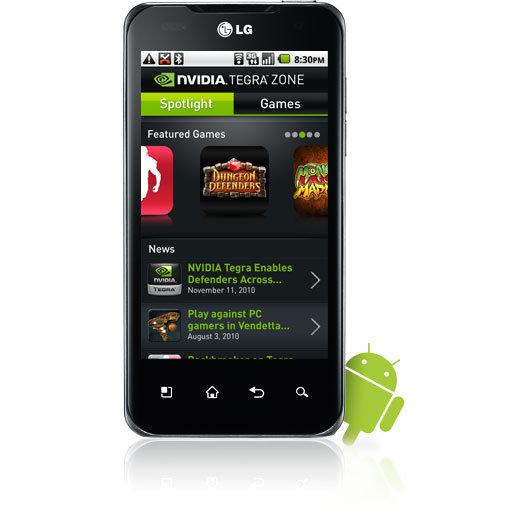
Nvidia is set to roll out the next-generation Tegra 3 chip aimed at smartphones and tablets, promising to be even faster than its current processor, which was one of the stars of CES 2011, the dual-core Tegra 2.
While Nvidia hasn't officially announced the processor yet, the Tegra 3's impending launch is almost certain, according to Softpedia. The new chip is expected to have four cores inside, and will probably roll out at the upcoming Mobile World Congress in Barcelona on February 14.
Without revealing any dates, Nvidia's general manager of Tegra Mike Rayfield confirmed the Tegra 3's launch in an interview with Hexus,
"I'm going to come pretty close to my cadence of a launch every year," said Rayfield. "It will be in production around the same time as my competitors' first dual-cores will."
Given that the Tegra 2 was launched at CES last year, Tegra 3's launch is due any time now.
Just as the Tegra 2 chip boosts the performance of tablets such as the Motorola Xoom and the first dual-core smartphone, the LG Optimus 2x, and many others we saw at CES 2011, the Tegra 3 is said to have four cores, which can further speed up browsing and gaming on tablets and smartphones. In addition, multiple cores can run at half speed to accomplish the same tasks that a single core would need to run at full speed, enhancing battery efficiency and generating less heat.
Clearly, multicore smartphones have arrived, with quad-core chips probably waiting in the wings. Ovum analyst Nick Dillon told Morningstar:
"In the same way that 1GHz was the standard for top of the range smartphones in 2010, every top-end service in 2011 is likely to have a dual-core processor. We may even see the first quad-core chipsets emerging in handsets by the end of the year."
20.1.11
Why It's Worth Getting Excited For Spotify's US Launch

You've probably not heard of Spotify yet. That's ok—it's still relatively new over here in Europe, where I live. But I can say in the year I've used it, I've never touched iTunes or used BitTorrent once.
It's a music-streaming service, free to download—though they've tried making it a bit "exclusive" so you have to be invited by a user, but as they've already got 7 million users that's not too difficult. It's worth noting that the users who opt to pay nothing for it will encounter the odd commercial, roughly every five songs. But that's ok, as they're targeted to what you listen to—so I've discovered some great music because of the ads, which is one of the reasons I wouldn't want to pay for it.
Paying for it costs £9.99 here in the UK each month (roughly $14), and for your dosh you get to listen to your music uninterrupted, and also on your iPhone or Android. It can cache your playlists, so you don't need internet access to play them.
But as I said, that's not the beauty of Spotify—though I know a fair few people who pay for it for mobile use. (It's said Spotify has around 300,000 paying subscribers).

So what does it do, and why have I not touched iTunes once (ok, once in a blue moon) since downloading it?
Simply put, the music streaming service lets you choose from the millions of tracks in the database (all legal, since the Swedish company has gone to great lengths to get permission from all the major record labels), so you can create playlists galore. When you get the urge to listen to a particular song, it's there—and you don't need to jump through any hoops to get it. You can listen to complete albums (usually Spotify has them the day of release), individual songs—whatever you want.
I love creating playlists, it's become an absolute addiction. My favorite—and rather infamous—is my "dadrock" playlist, which contains all the sort of cheesy songs my Dad used to play when I was a kid. Dire Straits, Phil Collins, Fine Young Cannibals, and so on.
I've shared the playlist with dozens of people by sending the URL to them, which then opens their desktop program and loads it there for their listening pleasure. They can contribute to it, if you've created a collaborative playlist, or if you'd prefer people not tinker with your choons you can set them as so too.
There are hardly any bands I've searched for which I haven't been able to find on Spotify. The Beatles and Pink Floyd are the only bands I've not been able to find on there, but both bands have well-publicized issues with digital downloads/streaming.

I use Spotify on average about eight hours a day. True, when you're streaming, especially using the free service, it's not the highest bitrate—but when the music is being pumped from laptop speakers it's not that important. If I want to listen to something in a higher bitrate I'll just put on an SACD, vinyl or CD. Or open iTunes and play from my library, though that's a very rare occurrence nowadays.
Get excited for the US launch. It's going to be big news when it's made available over there, just like it's soared in popularity over here. Not a day goes past when I don't see people linking to their playlists on Twitter or Facebook, or hear someone on the street using Spotify as a verb, the same way we say "just YouTube it" or "I'll Google it" now.
I know there's a dozen different music streaming and download services available already in the US (far more than I've got access to here in the UK), but all the US people I've spoken to who've used Spotify while on holiday in Europe or via sneaky means absolutely rave about it.
Details are still hazy about the US launch, but Bloomberg is reporting it'll be available States-side in the third quarter of 2010 after originally being slated for an early 2010 debut. The delay is due to licensing discussions apparently—but that's a good thing. You'll feel so virtuous giving up BitTorrent and streaming music legally, and for free. Sounds crazy, I know.
17.1.11
Why and How I Switched to a Standing Desk

I spend about 45 to 50 hours a week working on my computer. Up until a week ago, I did that work sitting on my ever-expanding behind.
Last Monday I adjusted my desk to standing height (pictured right). I spent the week working on my feet, and I'm never going back to a sitdown desk again. Here are some questions and answers about the change.
What made you switch to a standing desk?
Ever since I wrote about a "treadputer" treadmill desk at Lifehacker in May of 2006, I've been curious about and inspired by alternative desk setups. My workday—which consists almost entirely of typing on or talking into a computer—is completely sedentary, and is a big part of the reason I'm more than 20 pounds overweight. Burning more calories while I work is a better use of that time.
Building or buying a treadputer is too expensive an undertaking for something I'm not sure I'll like or even have the space to accomodate. A standing desk, however, is doable. In July of 2010 I featured an Ikea Jerker treadmill desk, and mentioned I might just adjust my Jerker to standing height. This has been something I've been thinking about a long time.
Three straws finally broke the camel's back. First, I'm using RescueTime to monitor how I spend my time on my computer, and the weekly report made me realize how many hours I really do spend sitting down (week before last: 48). Second, I'm actively working on losing weight right now, and this seemed like a small way to add to the effort (down 12 pounds in 3 months so far). Finally, Macworld posted a guide to setting up a treadmill desk, and unequivocally recommended that you go from sitting to standing to walking, not straight from sitting to walking. That did it.
Why use a standing desk?
Two reasons: Higher calorie burn and better posture. When I'm sitting at my desk, even in a fancy ergonomic chair, I tend to slump, with my back curved and shoulders forward, which closes my chest and makes my breathing more shallow. When standing at a desk where my forearms are at a 90 degree angle on the desk surface, my shoulders go back, which makes my spine concave and opens my chest. Besides the initial foot pain and muscle aches of engaged thighs and calves, it feels great.
I didn't discuss the switch to a standing desk with my doctor, though there have been some studies about the negative health effects of excessive sitting. I'm not a medical professional, but it seems obvious that human beings aren't meant to spend 45 hours a week sitting still in a chair. Now that I'm standing, I pace, dance, and fidget a lot more freely, which is just more natural activity and calorie burn built into my day.
But don't your feet hurt?
Yes, very much. In fact, the first three days were brutal, so painful I doubted the whole endeavor. By mid-day 2, I had to sit down every hour or so. I was distracted and had a hard time focusing on anything but how much my feet hurt. At night I sat on the couch with my feet elevated. I collapsed into bed totally exhausted. I never appreciated sitting as much as I did the first three days.
Then, on the fourth day, it wasn't so bad. On day 5, I got lost in work for 2 hours before I thought about the fact that I was on my feet once. Now it's my new normal.
How did you convert your desk to a standing desk?
I have a (sadly discontinued) Ikea Jerker desk, which is designed to let you set the table to any height you want when you assemble it. So, I put in the 3 hours it took to break down my whole computer setup, dissemble the desk, and put it together at standing height. I don't have a lot of willpower, so I wanted to make the change difficult to undo. Adjusting the desk back down to sitting height will take another half-day of tooling with Ikea furniture, not something I'll want to do again any time soon. Besides, if I want to sit, I always have the dining room table. Here's what my new setup looks like:

If you don't have a desk that you can assemble to standing height, you can always create a temporary standing desk by putting shelves on your current desk.
Or you can use Coke cans, like Marco did:

Or you can use printer paper, like tbone7770 did:

Or you can just buy a standing desk.
What about those treadputers?
They're cool, aren't they? I'm not sure if I'll ever actually make it to the point where I'm walking and computing all day. I'm going to put in several months of standing before I consider it.
What shoes do you wear?
I wear ordinary running shoes, which are fairly new, well-padded and supportive. Changing your shoes seems to help the feet, too. Sometimes I go barefoot, but I don't usually last long.
Do you stand on a soft mat? If so, which one?
Not yet, but I've ordered a squishy mat to put under my desk. It's not one of those fancy $100 kitchen gel mats, it's more like a $25 cash register/factory mat. It arrives this week. I'll let you know how well I like it.
Did you use any other gear in your switch to standing?
I bought a $20 monitor riser to get my screen to the right height so I'm looking straight ahead at it, not down.
How long did it take you to get used to standing all day?
I'm not entirely used to it yet, but I'm through the worst. I started Monday. By Friday I felt comfortable. Monday through Wednesday were pretty tough, though.
Do you take sit-down breaks?
Yup. I sit down at lunchtime, on phonecalls (though I'm more apt to pace), at meetings, and maybe once or twice for 5-10 minutes at other times in the day, as needed. One day I was pretty exhausted and achy so I treated myself to a sitdown beverage at the coffee shop, which was a double treat. But for the most part, I'm not even thinking about it any more.
Update: A few people have pointed out that there are health risks associated with too much standing, like varicose veins. There's usually some health effect associated with too much of anything. I don't stand ALL the time now--I sit, stand, pace, and stretch. The difference between now and before is that I used to mostly sit. Now I mostly stand.
Who else uses a standing desk?
More people than I'd realized, especially techies! Former Twitter developer and founder of BankSimple Alex Payne. Creator of Instapaper Marco Arment. Podcaster extraordinaire Dan Benjamin. Novelist Philip Roth. Former U.S. Secretary of Defense Donald Rumsfeld. Lifehacker editor Jason Fitzpatrick. Now, newly, my fellow San Diego techie Mitch Wagner. Who else?
16.1.11
Desktop Wallpaper, Need A New Screen

Needing a new look on you Laptop, PC or Mac? Check out these free wallpapers!
Categorized and organized for easy searching if your wanting a certain style or look for your setup
http://www.freewallpapersdb.com/Computers-wallpapers.html
15.1.11
Dork Digital Photo Competition - Free computer Cleaning and Upgrades
1Month Long (Jan. 5 - Feb. 5)
The rules are simple with this one. We are looking for creativity and overall awesomeness in the photos. Each person may only submit one photo in each of the two categories! If more than one photo is submitted for one of the categories only your first one is counted. No exceptions! When sending in the photo also ad the make and model of the phone it was taken on
*Winners of both categories get free upgrades for the software that is installed on their computer and will also receive a full cleaning of the entire inside of their computer.
Contest 1) BEST Mobile Photo - Anything Goes!
In this category we are looking for the best photo period no matter what. Keep in mind that the winners will be posted on our page and on Facebook.com so don't submit anything you don't want viewed online!
Contest 2) BEST Mobile Photo - Most unorganized Desk!
This can be staged or natural. Here we are judging on just plain outrageously, unbelievably, messy and unorganized straight up!
We are trying to keep this broad to allow people to send in a lot of different mobile photos.
Please send all photos to (Dork.Digital@yahoo.com) and/or (361) 589-9712
*One person may win both categories! We are hoping that we do get a different winner for each.
14.1.11
Malwarebytes Anti-Malware 1.50.1


Download Now (7.38MB)
editors' review
Malwarebytes Anti-Malware is a surprisingly effective freeware antimalware tool. It's a relatively speedy malware remover, with the quick scan taking about 8 minutes even with other high-resource programs running. The heuristics engine proved on multiple computers during empirical testing that it was capable of determining the difference between false positives and dangerous apps. The app has some nice features rolled in, too. It supports multiple drive scanning including networked drives, context menu options including a scan-on-demand for individual files, and the FileAssassin option under the More Tools section for removing locked files. The interface is simple, but pleasant-looking and well-organized.
Tabs live just below the oversized logo, with few options per tab to keep down the clutter. The installation process was fast enough, but interestingly offered up the well-kept changelog and an instant definition file update.
Do note that the real-time protection is restricted to the paid version, as is the scheduler for updates and scans. Overall, though, Malwarebytes Anti-Malware is a responsive malware remover that does what it should with a minimum of fuss.
13.1.11
Ryan Graham Photography

Needing any family portraits or maybe looking for a photographer for any other reason?
Check out: http://www.ryangrahamphoto.com
Created by: Dork Digital
Dork.Digital@yahoo.com
(361) 589-9712
12.1.11
Five Easy Places to Recycle Your Old Gadgets and Computers

Many towns, cities, counties, and states have their own e-cycling programs that offer convenient drop-off locations for old computers, big monitors, and other electronics. The EPA suggests a cluster of search sites for helping you find a local ecycling program, including EcoSquid and the Consumer Electronics Association's MyGreenElectronics. And beyond the picks you see below, the EPA has a grid list of consumer-friendly e-cycling programs from stores and manufacturers.
With that in mind, almost everybody has a Best Buy, Goodwill, or Staples somewhere near them. Read up on their recycling programs, and learn about two other options you might not have considered:

Oddly enough, the electronics superstore that only just recently dropped a hefty restocking fee also has the most convenient and customer-friendly electronics recycling program around. Each household can bring in up to three items per day, including older-style CRT TVs (up to 32 inches in size), any flat-panel TV, monitors, cellphones, GPS units, DVD players—basically, if it has a plug and a display, and you can carry it, Best Buy takes it. There's a $10 charge for TVs and monitors, but you get that back in a $10 gift card.

New cellphone packages often come with a pouch in which to mail back an older cellphone for recycling, or for re-purposing as an emergency 911 phone for community services. If your phone didn't, check out your current or past cellular provider. Each of them offers phone recylcing services, generally free and offered through both in-store drop-offs and postage-paid mail-ins. Your phone's maker (LG, Motorola, etc.) likely offers a similar low-hassle deal.

New cellphone packages often come with a pouch in which to mail back an older cellphone for recycling, or for re-purposing as an emergency 911 phone for community services. If your phone didn't, check out your current or past cellular provider. Each of them offers phone recylcing services, generally free and offered through both in-store drop-offs and postage-paid mail-ins. Your phone's maker (LG, Motorola, etc.) likely offers a similar low-hassle deal.
11.1.11
Senate to try again on controversial antipiracy bill

Sen. Patrick Leahy (D-Vt.), the judiciary committee's chairman, said today that the government must take action against "online criminals" who harm American jobs by obtaining the nation's intellectual property without paying for it. Leahy made the statements as he laid out the committee's agenda for this session of Congress.
In September, Leahy introduced legislation called the Combating Online Infringement and Counterfeits Act, which could boast bipartisan support and unanimously passed in the judiciary committee, but failed to pass in a full Senate vote.
"Online infringement costs our national economy billions of dollars every year," Leahy said, according to a transcript of his speech. "Our intellectual property-based businesses are among the most productive in our economy and among its best employers. We cannot stand by and see them ravaged, and American consumers subjected to counterfeits. We will renew our effort this year."
Among the bill's supporters are the Motion Picture Association of America, the U.S. Chamber of Commerce, and the Recording Industry Association of America. Among the legislation's opponents are the Electronic Frontier Foundation, the Distributed Computing Industry Association, and American Civil Liberties Union, who say the bill is little more than censorship.
Under the proposed legislation, the Justice Department would file a civil action against accused pirate domain names. If the domain name resides in the U.S., the attorney general could request that the domain name in question be seized.
The bill would also authorize the attorney general to order other specified third parties, such as Internet service providers, payment processors, and online ad network providers, to take action against pirate sites. For example, ISPs could be ordered to block access in this country to file-sharing sites based overseas or order Visa to stop taking processing transactions from the sites.
The legislation's supporters in the entertainment industry say its introduction has already produced benefits. Last month, CNET reported that Mastercard was willing to stop processing transactions from sites trafficking in pirated music, movies, games, and other digital copyrighted content and would support Leahy's bill.
Meanwhile, others have been less than supportive. The major ISPs have yet to weigh in on the issue but some executives from the sector have told me they are skeptical of Leahy's chances at getting his bill passed anytime soon
Subscribe to:
Posts (Atom)